
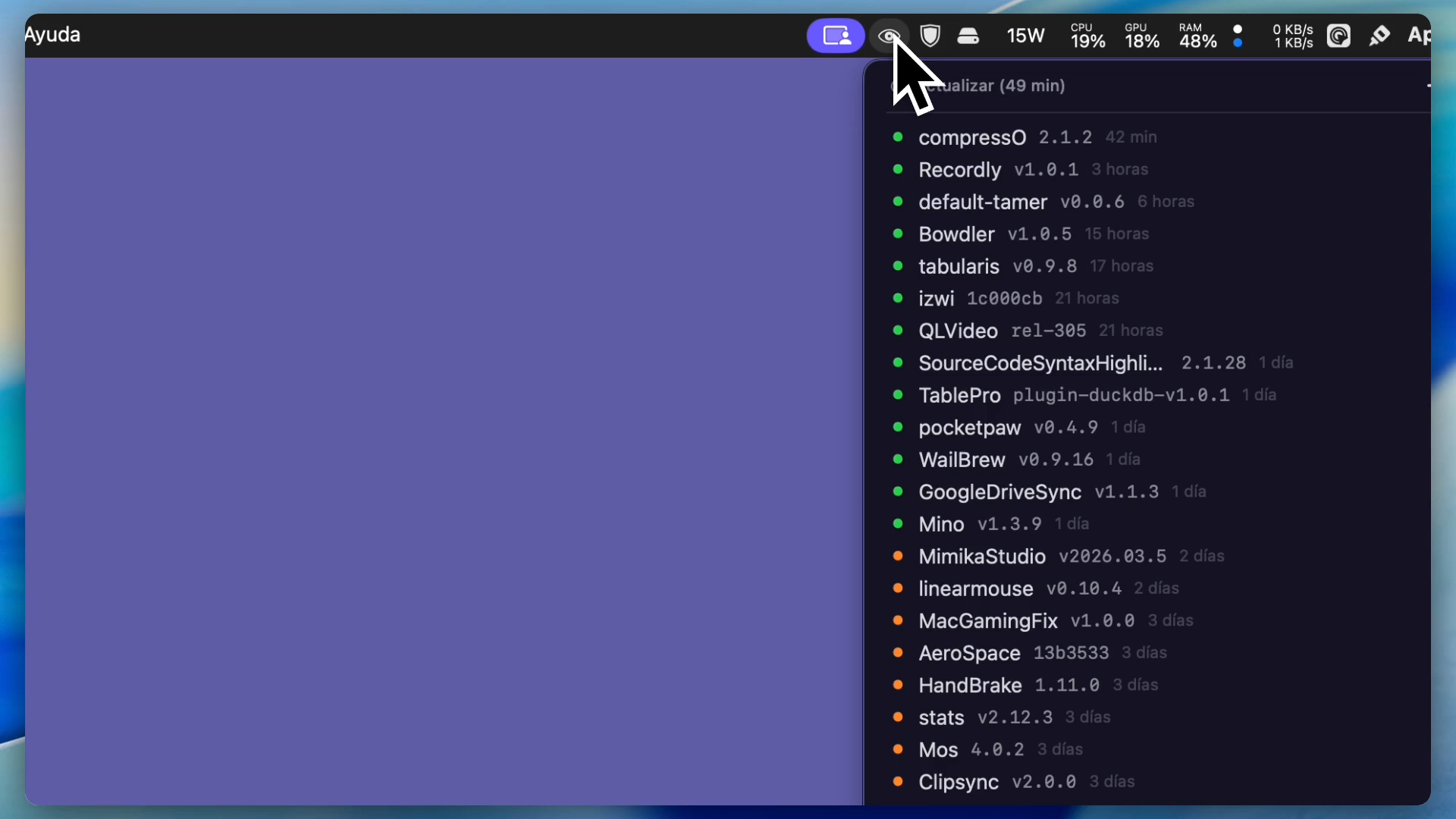
Mino is a fast and lightweight native macOS menu bar application designed to help developers track GitHub releases effortlessly.
Key Features
- Menu Bar Integration: Unobtrusive status bar icon with inline repository information
- Inline Actions: Hover over any repository to reveal contextual action buttons — view release notes, open releases, install via Homebrew, or delete
- Homebrew Integration: Detects installed Casks automatically and enables one-click install/update directly from the menu
- Integrated Search: A sleek, centered search field with an intelligent Tag Cloud for filtering repositories by language, topic, or status
- Hybrid Quick Add: Copy a GitHub repository URL, open the menu, and the header intelligently transforms into a "Quick Add" action
- Dynamic Typography: Choose your preferred text size (10pt to 16pt) — the entire menu UI scales proportionally
- Multi-Hunt Window: A persistent floating window for batch-adding repositories while browsing
- Favorites: Right-click any repository to mark it as a favorite with a gold ★ indicator
- Localized: Supports 11 languages with automatic system detection
- Auto-Start: Launch at login via native macOS LaunchAgent
- Light & Dark Mode: Full support, including a forced-dark HUD panel for notifications
Security
Your GitHub authentication token is stored securely in macOS Keychain — never in plain text. Uses GitHub's official Device Authorization Flow (OAuth).
Installation
brew install nad-bit/tap/mino
Or build from source — no Xcode project required, just run ./build.sh.
Похожие приложения
SimCam
Your Mac's camera, live in the iOS Simulator. Test camera features without a physical device.
Mergly
Track GitHub and Azure DevOps pull requests and issues from your menu bar
Blink
A little robot that lives in your menu bar and keeps an eye on your running dev servers and iOS simulators
ModelHub
One hub for all LLMs. Lives on your macOS menu bar.