
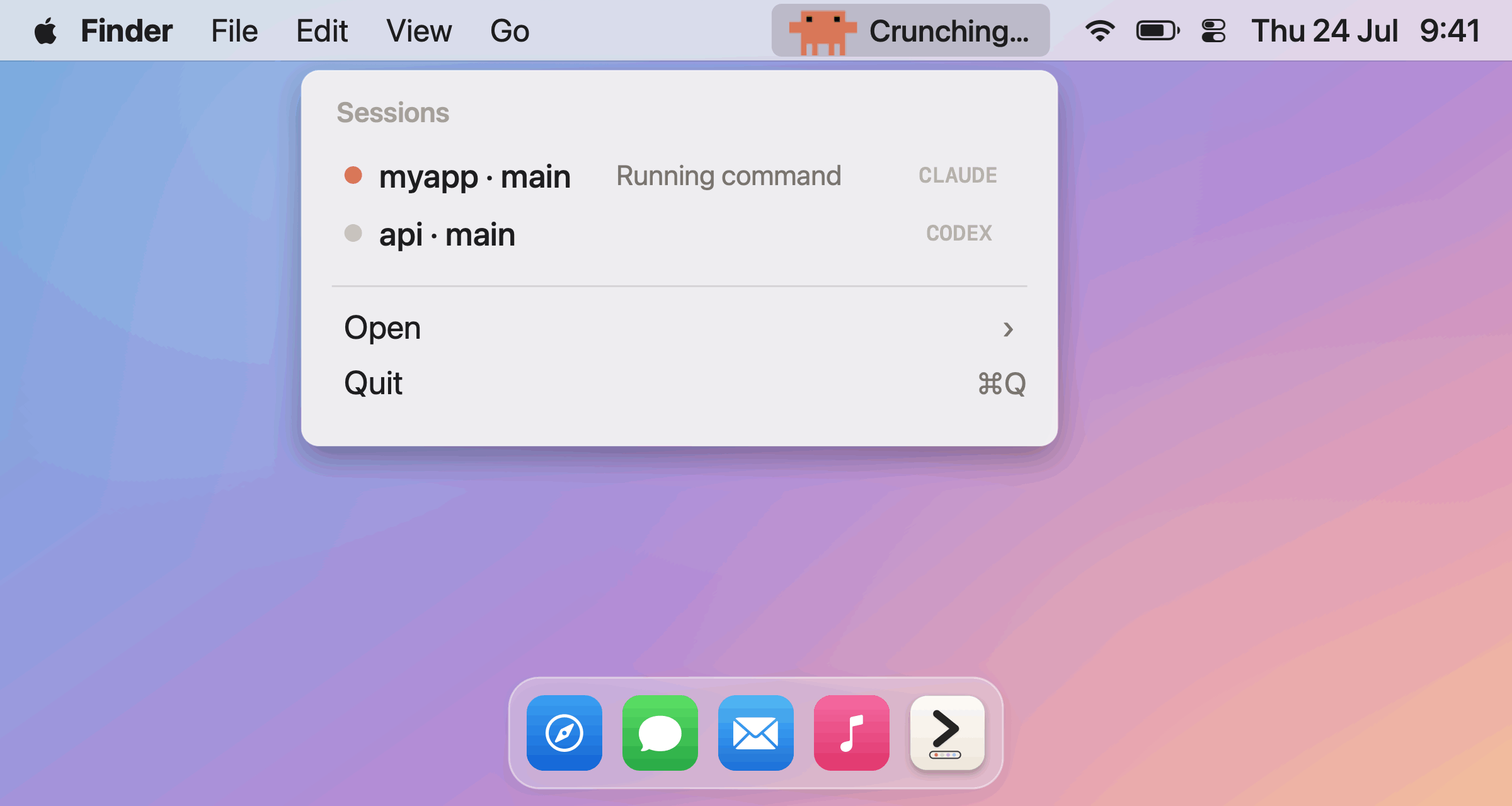
AgentBar is a lightweight, native macOS menu bar app that shows the live state of your AI coding sessions — Claude Code, Codex, Cursor CLI, Gemini CLI, plus GitHub Copilot and Google Antigravity in the same bar.
Each agent gets its own mark built from its real identity — Clawd the crab for Claude, the OpenAI knot with a braille dot-matrix for Codex, the official pixel-art head for Copilot, the pixel rainbow arch for Antigravity — and the bar always surfaces the session that needs you most.
Key Features
- Live status per agent — an animated mascot works the bar while an agent works.
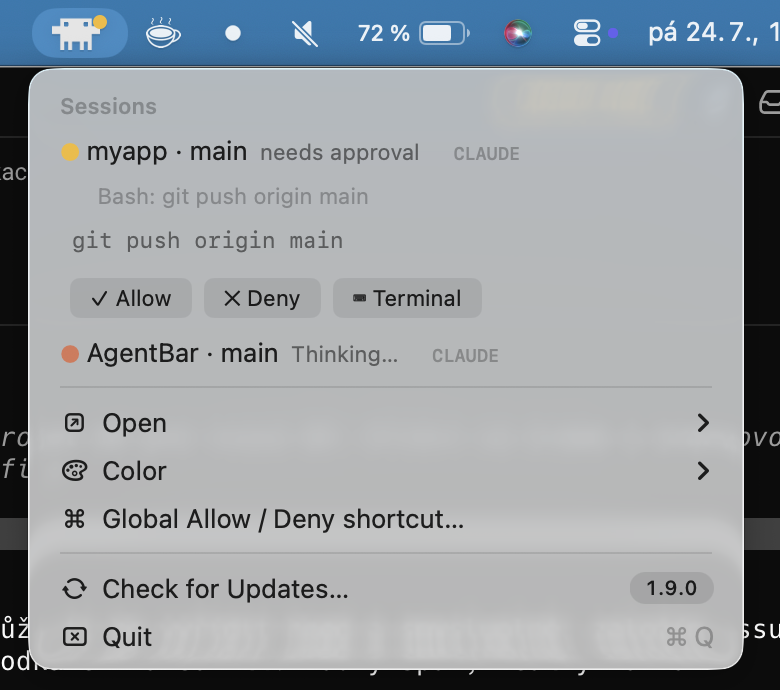
- Permission alerts — an amber dot the moment an agent waits for your approval.
- Remote Allow/Deny — answer Claude Code permission prompts straight from the menu bar without switching to the terminal.
- Multi-session — every running session listed with project, git branch, and state; click a row to jump to its app or terminal.
- Open anything — launch Claude, Codex, Copilot, or Antigravity straight from the menu.
- Two looks — full-color mascots, or a monochrome System mode that matches the menu bar.
- Built-in updates — quiet daily check of GitHub Releases plus manual check in the menu.
- Linux too — the
agentbarCLI is a full peer of the menu bar app with live status, pending approvals, and remote Allow/Deny.
Requirements
- macOS 12+ (Apple Silicon or Intel)
- Node.js (for the hook scripts)
Install
One-liner:
curl -fsSL https://raw.githubusercontent.com/michalstrnadel/AgentBar/main/Scripts/install.sh | bash
Or via Homebrew:
brew install --cask michalstrnadel/tap/agentbar
Похожие приложения
SimCam
Your Mac's camera, live in the iOS Simulator. Test camera features without a physical device.
Mino
A lightweight, native macOS menu bar app to track GitHub releases with Homebrew integration. Built entirely with Swift and AppKit with zero dependencies.
Mergly
Track GitHub and Azure DevOps pull requests and issues from your menu bar
Blink
A little robot that lives in your menu bar and keeps an eye on your running dev servers and iOS simulators