
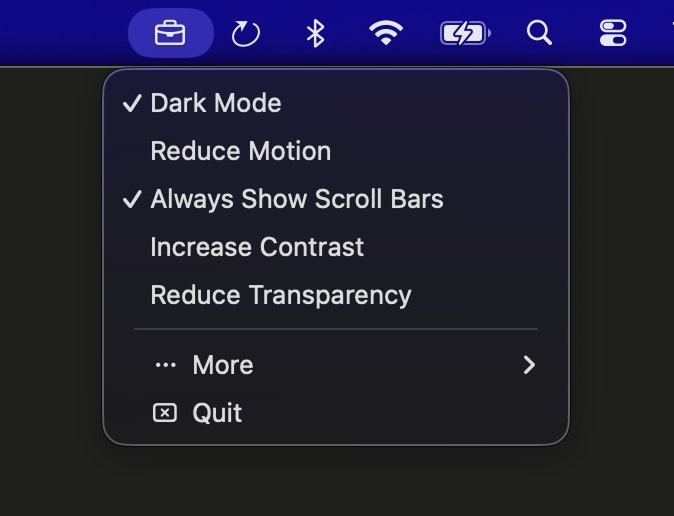
Cases lets you toggle macOS system settings directly from your menu bar - no more digging through System Settings.
Features
- Dark mode - Switch the system's appearance instantly
- Reduce motion - Test how your apps handle reduced animations
- Always show scroll bars - Surface layout bugs hidden by overlay scrollbars
- Reduce transparency - Verify solid fallbacks for translucent surfaces
- Increase contrast - Preview how high-contrast users see your UI
Unlike DevTools emulation which only affects one tab, Cases changes the actual OS setting so browsers and native apps respond alike.
Pricing
One-time purchase of $4.99.
Requirements
Requires macOS 15 or later.
Developer
Built by Tim Wilson.
Похожие приложения
Consul
The automatic file converter for macOS. Rename to convert (yes, seriously).
TextGrabber2
Mac menu bar Copy-to-Action tool for extracting text from images using on-device OCR
Presentify
A macOS menu bar app for screen annotation, cursor highlighting, spotlight, and zoom during presentations
KeyScreen
Display keystrokes beautifully on screen for tutorials, presentations, and recordings