
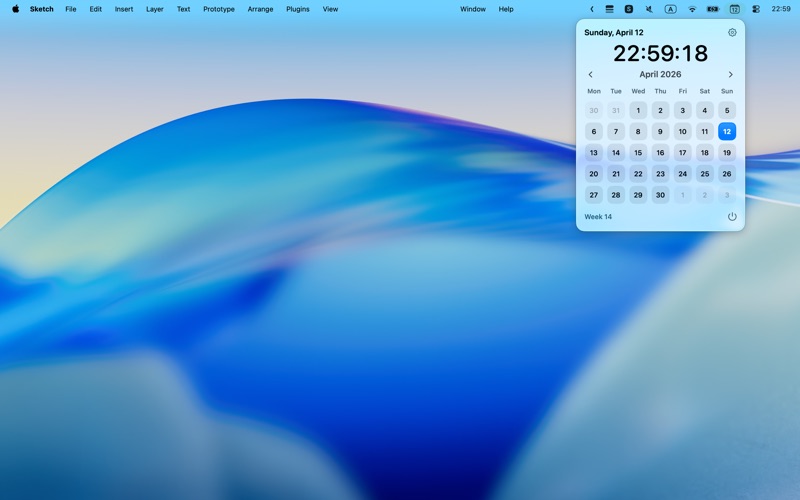
MCalendar puts a simple, lightweight calendar right in your macOS menu bar.
It's perfect for those who just want to quickly glance at the date, browse this month's schedule, or temporarily check a future date—without opening a full calendar app or interrupting their current workflow.
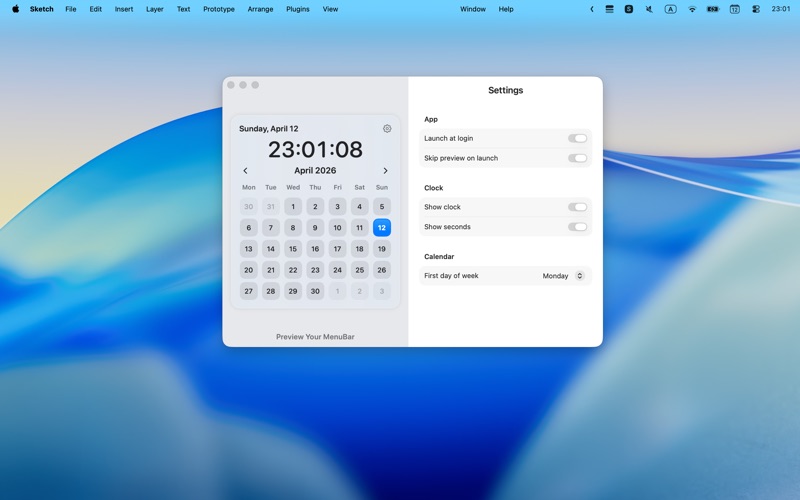
The menu bar icon always displays today's date, keeping the calendar within sight at all times. When clicked, you'll see a clean and direct monthly calendar view where you can quickly confirm dates, browse previous and next months, and plan your time more easily. With real-time clock display, week numbers, and flexible calendar settings, MCalendar provides just the right amount of information for daily use while remaining restrained and simple.
Key Features: • View today's date directly in the menu bar • One-click to open the full monthly calendar • Quickly view week numbers and switch between months • Display real-time clock with optional seconds • Customize the first day of the week • Supports auto-start on boot
Simple, fast, and always available when you need it.
Похожие приложения
Consul
The automatic file converter for macOS. Rename to convert (yes, seriously).
TextGrabber2
Mac menu bar Copy-to-Action tool for extracting text from images using on-device OCR
Presentify
A macOS menu bar app for screen annotation, cursor highlighting, spotlight, and zoom during presentations
KeyScreen
Display keystrokes beautifully on screen for tutorials, presentations, and recordings