
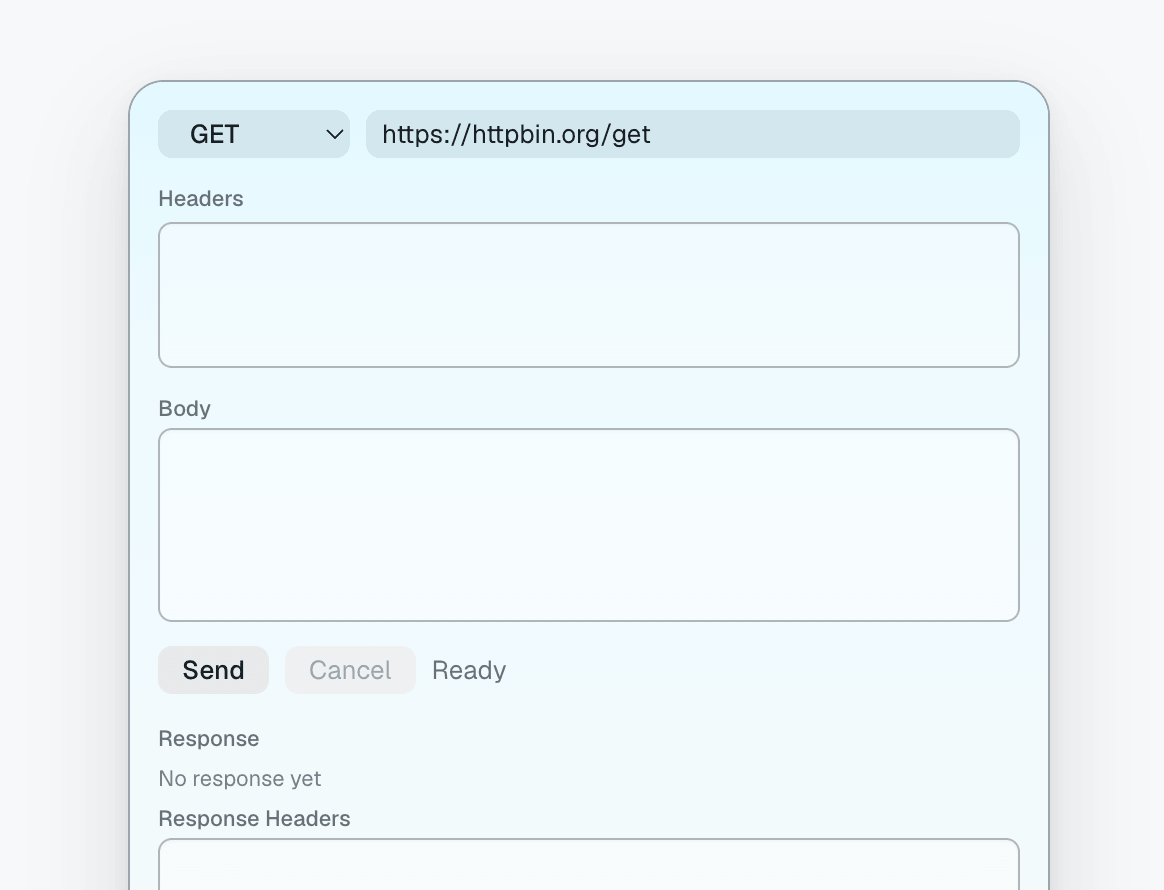
Pingo is a lightning-fast API scratchpad built for the macOS menu bar. It gives you a focused place to fire off small HTTP requests without opening a full API client.
Designed for quick checks while building, debugging, or exploring APIs, Pingo keeps the essential request flow close at hand: choose a method, paste a URL, add headers or a body when needed, send the request, and inspect the response directly from a compact scratchpad window.
Features
- Menu bar first: open Pingo from the macOS menu bar whenever you need it
- Common HTTP methods: send GET, POST, PUT, PATCH, and DELETE requests
- Quick URL input: paste an endpoint and run it immediately
- Header editor: add request headers in a simple Name: Value format
- Body editor: write plain request payloads for methods that need a body
- Stateless requests: does not automatically store or resend cookies, cached responses, or HTTP credentials
- Request control: cancel in-flight requests, with network timeouts to keep unresponsive endpoints from hanging
- Response viewer: inspect status, duration, content type, headers, and text response previews
Requires macOS 14 or later.
Похожие приложения
SimCam
Your Mac's camera, live in the iOS Simulator. Test camera features without a physical device.
Mino
A lightweight, native macOS menu bar app to track GitHub releases with Homebrew integration. Built entirely with Swift and AppKit with zero dependencies.
Mergly
Track GitHub and Azure DevOps pull requests and issues from your menu bar
Blink
A little robot that lives in your menu bar and keeps an eye on your running dev servers and iOS simulators