QuickRight is a Finder right-click menu enhancement tool for macOS, designed to complement the native right-click functionality and make file management more efficient.
Key Features:
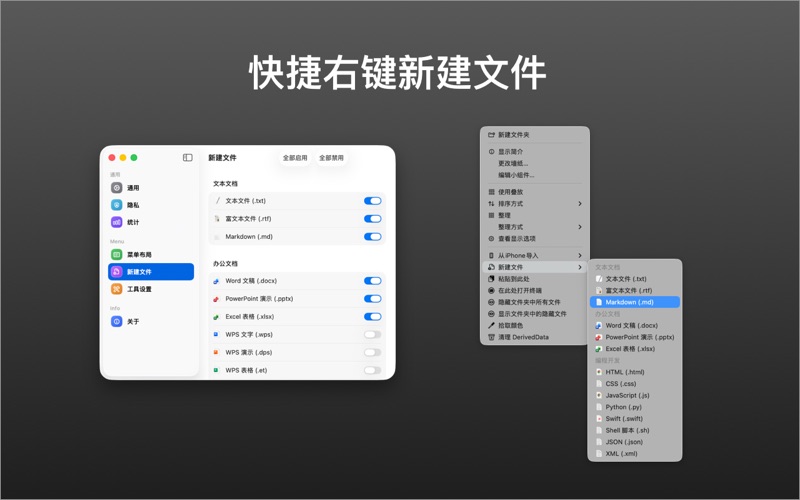
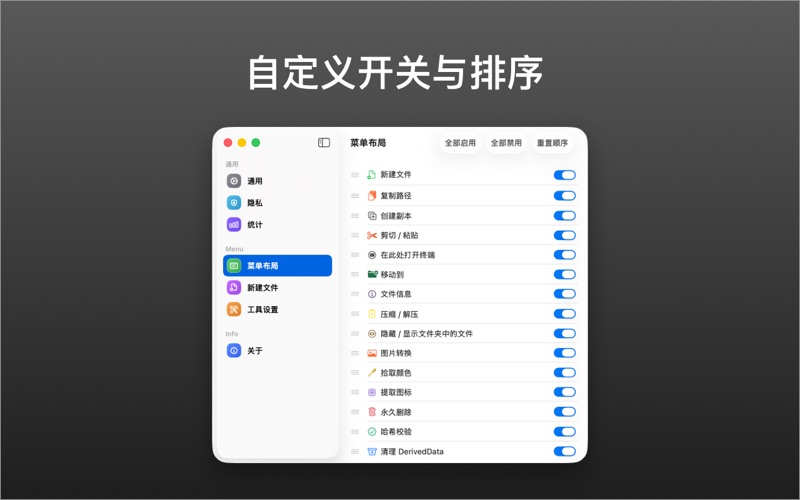
- Quick File Creation: Create new files (TXT, Markdown, Word, Excel, Pages, etc.) directly in the current directory with custom templates
- Copy File Path: One-click copy of absolute paths for files or folders
- Cut & Paste: Cut and paste files with automatic move operation
- Open in Terminal: Quickly open current directory in Terminal, iTerm2, or Warp
- Quick Move: Move files to preset favorite directories
- Show/Hide Files: Toggle visibility of hidden files in Finder
- Extract Icons: Quickly extract file icons
- Custom Directories: Set up custom favorite directories
- Permanent Delete: Delete files permanently without going to Trash
- File Hash: Calculate MD5, CRC32, SHA-1, SHA-256, SHA-512 hashes
- Color Extraction: Extract dominant colors from images
- File Info: Quick file information view
- Image Conversion: Convert images to JPEG, GIF, TIFF, and SVG formats
- Image Compression: One-click image compression
- Archive: Quick unzip/zip operations
Menu Bar App: The app runs purely as a menu bar tool, no Dock icon, providing quick access to all features from the menu bar.
Похожие приложения
Consul
The automatic file converter for macOS. Rename to convert (yes, seriously).
TextGrabber2
Mac menu bar Copy-to-Action tool for extracting text from images using on-device OCR
Presentify
A macOS menu bar app for screen annotation, cursor highlighting, spotlight, and zoom during presentations
KeyScreen
Display keystrokes beautifully on screen for tutorials, presentations, and recordings